Engineering reference · Cartoner components
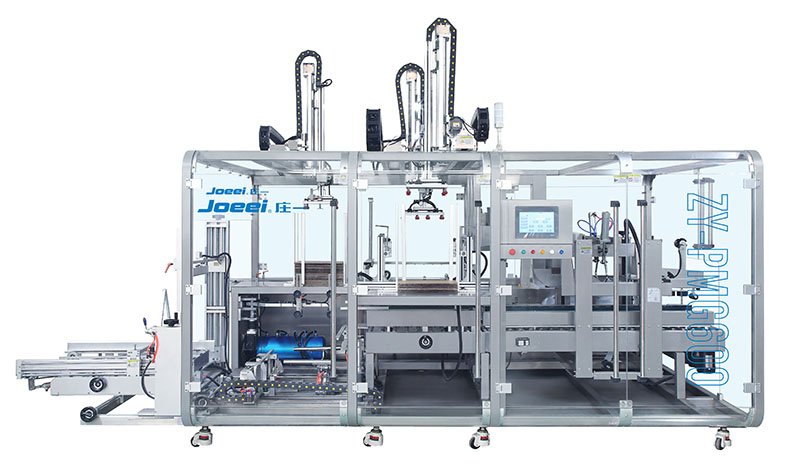
The main cartoning machine parts are the carton magazine and opener, carton transport, product feeder and inserter, optional leaflet system, closing tools, drive, controls, sensors and discharge equipment.
Use this guide to identify each assembly, understand its function and check the details needed for a matching spare. It covers folding-carton loading equipment; corrugated-case sealing machines use a different parts list.
Part names, functions and identification details
A useful cartoner parts list connects each item to its station and drawing reference. “Carton opening suction cup” is more informative than “rubber part,” but the exact replacement still needs the mounting, material and machine revision. The names below are functional descriptions. Some assemblies are options, and their location and construction vary between machines.
On a phone, swipe the table sideways to see all three columns.
| Part or assembly | Function in the carton path | Details needed for a matching request |
|---|---|---|
| Carton magazine | Holds flat carton blanks and presents them to the pickup mechanism. | Magazine assembly reference, blank orientation and guide arrangement. |
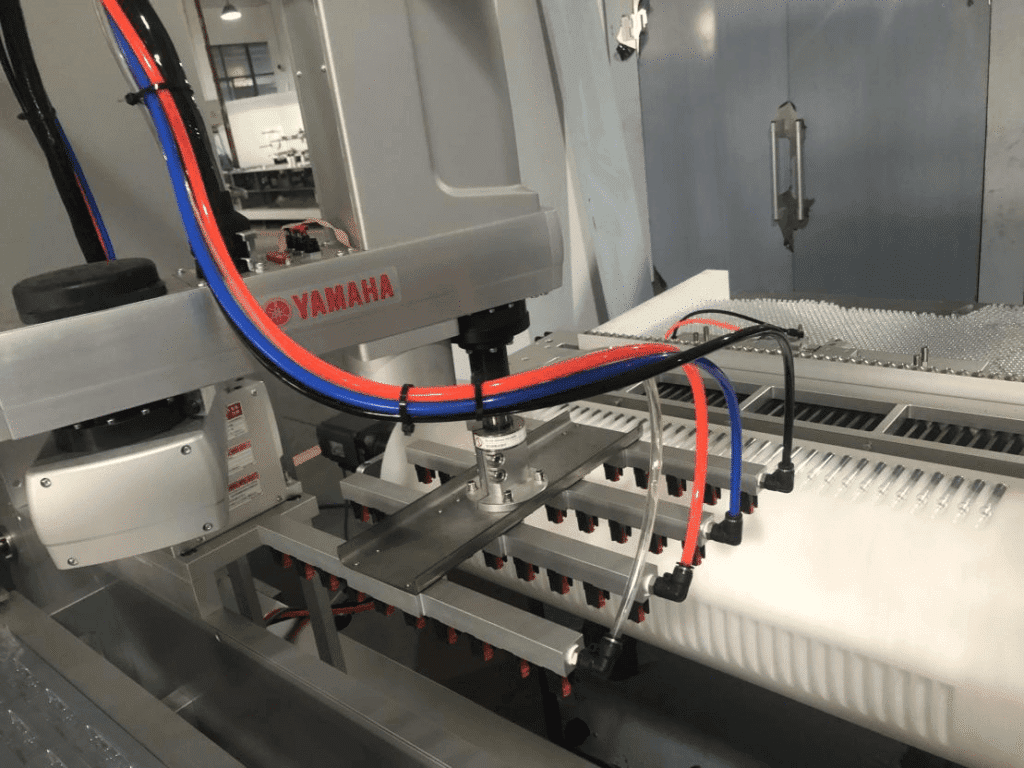
| Pickup suction cups and holders | Grip a carton blank using the configured vacuum system. | Cup profile, connection, holder reference, material and approved substitute specification. |
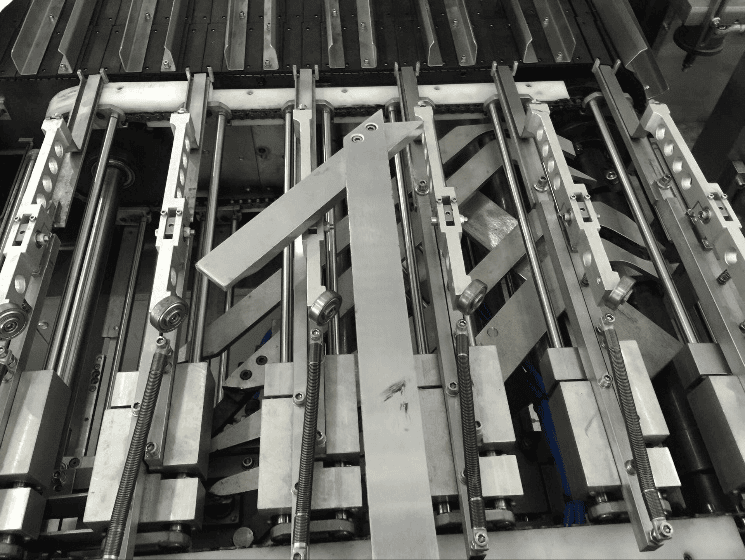
| Carton opening device | Separates and opens the flat blank into the loading shape. | Opener assembly, linkage or head reference, drawing revision and carton format. |
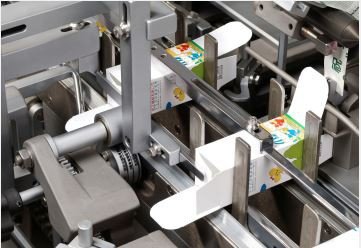
| Carton chain, pockets or lugs | Carry and locate the open carton through the stations. | Transport assembly reference, pocket or lug geometry, attachment and pitch specified on the drawing. |
| Product infeed guides or holders | Orient and locate the product or prepared group before loading. | Product format, contact geometry, mounting and material specification. |
| Pusher and insertion tooling | Move the prepared product into the supported open carton. | Pusher head and guide references, stroke configuration, carton and product drawings. |
| Leaflet feeder and folding unit | Feed and fold an instruction leaflet when this option is installed. | Installed unit model, component reference, leaflet dimensions and fold arrangement. |
| Flap guides and tuck-in tools | Guide and close the carton flaps on a tuck-in configuration. | Closure style, flap drawing, tool orientation, mounting and format reference. |
| Hot-melt application assembly | Apply adhesive and support closure on a glue-configured machine. | Actual applicator model, nozzle/module reference, adhesive specification and electrical configuration. |
| Motor, transmission and drive | Power and coordinate the configured machine mechanisms. | Nameplate, transmission reference, rating, mounting, drive configuration and revision. |
| PLC and HMI | Run the control logic and provide the operator interface. | Full hardware order code, software/firmware compatibility, machine program and approved backup procedure. |
| Sensors and encoder | Provide the configured presence, position or motion signals. | Full model code, signal type, connector, voltage, mounting and assigned position. |
| Pneumatic and vacuum components | Operate the installed air-driven motions or vacuum pickup. | Valve/cylinder/generator reference, ports, actuation, electrical connection and drawing position. |
| Reject and discharge assembly | Remove a flagged carton where configured and transfer cartons downstream. | Assembly reference, reject method, confirmation devices and downstream interface. |
Do not treat this table as a bill of materials for every cartoner. A machine may have no leaflet unit, no hot-melt applicator or a different transport arrangement. A detector may confirm presence without checking identity, quantity or print quality. The agreed control description and actual installed devices define what the system checks.
Recognising the loading and closing mechanisms
Carton pickup is not the same assembly as product loading
The magazine stores blanks; the pickup and opening mechanism erects one; the transport holds it for insertion. These functions are close together, so photographs without a station reference can be ambiguous. When requesting an opening component, include an overview showing its relationship to the magazine and a close-up of the component marking.
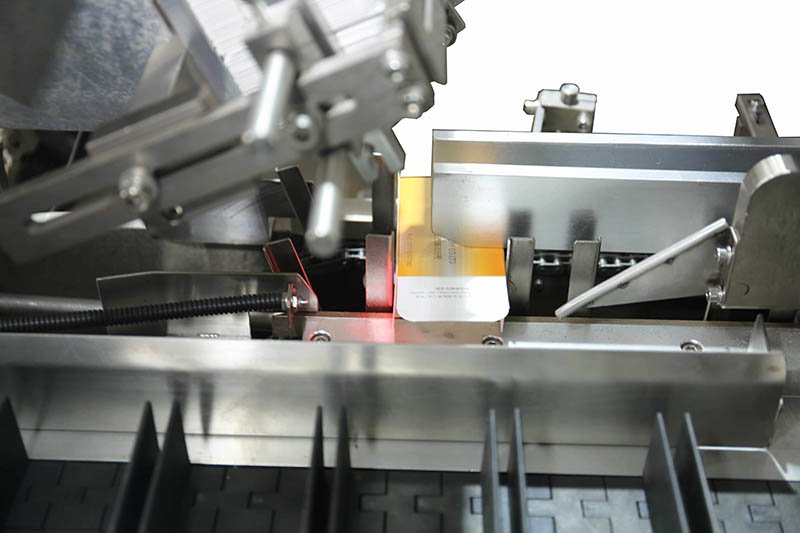
The insertion head, product guides and carton support work together
A pusher is only one part of the loading path. The feeder must present the intended product group, the guides must support its approach, and the carton must remain located during insertion. A different product size can require format-specific guides or a different head even when the main machine remains unchanged.
For a replacement head, record the installed part reference and approved product format. For a proposed new format, send the product and carton drawings instead of assuming the existing tooling will fit. Internal usable carton clearance is not established solely by the outside carton dimensions.

Leaflet and closure parts depend on the ordered options
A leaflet system has its own feeding and folding components. A missing leaflet complaint does not by itself identify which part needs replacing: paper presentation, fold configuration, sensing and synchronisation are separate inputs. Give the supplier the actual unit reference, leaflet drawing and recorded fault information.
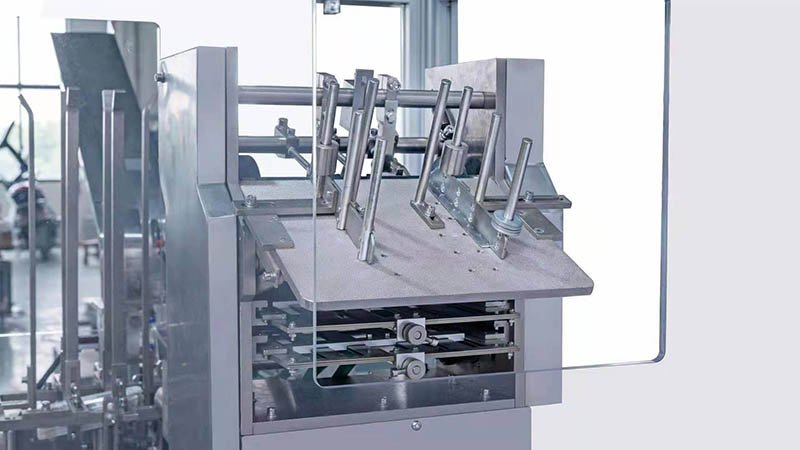
Likewise, tuck-in tooling and hot-melt application equipment are not interchangeable names for the same assembly. Confirm the carton flap design and closure method before identifying the component. Hot-melt work also involves temperature and pressure hazards; component selection is not an instruction to service a heated applicator.
Wear parts, format parts and controls are different purchases
“Spare parts” can mean several different things. Separate the request by purpose so a quotation does not mix a routine replacement with a new format project or an electrical upgrade.
- Wear or consumable items: components considered for replacement because of condition or recorded consumption, such as a pickup cup where applicable. Wear status alone does not establish a universal lifetime.
- Format parts: tooling or guides associated with a particular product/carton format. A format kit is not automatically an emergency spare kit.
- Drive and control components: motors, drives, PLCs, HMIs, sensors and related hardware. Hardware markings are necessary, but software, signals and integration can also affect a replacement.
- Assemblies and option modules: a complete feeder, leaflet unit or closure system may involve several interfaces. Specify whether you need one drawing item or the whole assembly.
A part can belong to more than one category. A product guide can be format-specific and also need replacement after damage. Record both the reason for purchase and the format identification. The word “standard” on a general catalogue does not prove that the item matches the installed build.
For controls, a physically fitting unit is not necessarily a functional replacement. Preserve the full order code, configuration records and approved program backup. Do not order an apparent successor model or change a sensor output type without confirming the machine-level effect with the responsible technical team.
How to match a spare to the installed machine
Use a three-way identification check: machine identity, part identity and application identity. This is more reliable than selecting an item from its appearance alone.
- Identify the machine. Send the machine model, serial number and nameplate photograph. Add the build or drawing revision if it is available. A model name alone may cover different purchased configurations.
- Locate the component. Name the station, drawing sheet and item number. Add an overview photograph with the component indicated, then a close-up showing markings and mounting.
- Record the application. State the product, carton and leaflet format relevant to the component. Add whether the request is for like-for-like replacement or a new SKU.
- Describe the reason. Record observed damage, wear, an alarm or an intermittent symptom without converting it into an unverified diagnosis. Include any existing service record.
- Confirm the supplied scope. Ask whether the quotation covers the individual item, a holder, a subassembly, a matched set or a format kit. Confirm any required companion components.
- Confirm acceptance before purchase. Agree the part reference, revision, compatibility basis, quantity, required documents and commercial terms in the written quotation.
Use measurements to support identification, not to reverse-engineer an unknown safety-critical specification. Record units and measurement points on the drawing. Where the part cannot be identified, say “reference not available” and provide the evidence you do have; guessing a code can create a false match.
For a machine bought second-hand, also identify known modifications. An older parts book may not describe the installed control hardware, feeder or closure option after a retrofit. Resolve discrepancies between the book, nameplate and actual markings before treating the book as the current configuration record.
Keep removed and replacement items traceable under the site’s procedures. Installation, adjustments and release back to production belong to authorised maintenance and the machine manual—not to an online identification article. For a new machine order, include the required part list and format references in the cartoning machine FAT checklist scope rather than waiting for the first replacement request.
How to plan spare-parts stock
A generic list cannot tell a factory how many spares to hold. The decision depends on actual consumption, consequence of unavailability, confirmed replenishment time, commonality across machines, storage conditions and cost. A rarely used component can still matter if its absence stops the line and no compatible replacement is locally available.
Start with evidence: consumption records for the identified part, the supplier’s current replenishment quotation and the site’s accepted downtime exposure. Keep new-format tooling separate from consumption stock. Do not use the machine’s cartons-per-minute rating as a wear-life guarantee for cups, belts, guides or sensors.
Forester’s My Insight
Worked example: estimating a spare-stock threshold. Use recorded consumption and a confirmed replenishment time to make the purchase quantity traceable.
Assume one identified item is consumed at 2.5 units per week, its replenishment lead time is 4 weeks, and the site selects an additional 2-unit buffer. A simple planning threshold is:
Threshold = round up (weekly consumption × lead time) + selected buffer
= round up (2.5 × 4) + 2 = 12 units.
If inventory position is 7 on hand + 3 confirmed inbound − 1 already allocated = 9 units, the difference to this illustrative threshold is 12 − 9 = 3 units. Minimum order quantities, order frequency and actual availability can change the purchase decision.
All quantities and the lead time above are hypothetical inputs. The arithmetic is reproducible, but 12 units is not a recommended stock level for any HIJ component. Replace the inputs with identified-part records and a confirmed quotation.
Consumption averages also hide variability. For a new line with no consumption records, discuss an initial spare list with the supplier and update it as operating records become available. If the part has storage or shelf-life requirements, use the component supplier’s documentation when deciding the quantity and stock rotation.
Keep an approved list with the part code, drawing revision, machines served, stock location, balance and last confirmation of supply conditions. Revisit that list after an approved retrofit or SKU change. A spare for the previous configuration can remain on the shelf without being useful for the current line.
Identification questions
Are “cartoner parts” and “cartoning machine parts” the same topic?
In this guide, both describe the functional components of a folding-carton loading machine. “Carton sealing machine parts” can describe corrugated-case sealing equipment instead, so check the machine function before using a parts list.
Can the machine model alone identify a replacement?
Not reliably. Add the serial number, installed assembly, part or drawing reference and relevant configuration. Different orders or later modifications can use different components under the same general model name.
Can I order a suction cup or sensor from a photograph?
A photograph helps locate the item, but it does not confirm every specification. Supply its marking, connection or mounting details and drawing reference. Confirm the replacement against the installed assembly before ordering.
Should every format kit be kept as maintenance stock?
No automatic rule applies. Format tooling supports an approved SKU; maintenance stock addresses replacement risk. Identify which items are shared, which are format-specific and which require replacement stock under the site’s own plan.
Where can I get an exploded drawing and exact spare-parts list?
Ask the machine supplier for the documentation applicable to the serial number and purchased configuration. This article is a functional naming guide, not an exploded drawing or a part-number catalogue. Confirm the available drawing and parts-list scope in the quotation or service discussion.
Need help identifying a cartoning part? Send the machine serial number, part markings and clear photographs to discuss a matching replacement. For a new equipment project, see the HIJ automatic cartoning machine.
Discuss a Cartoning Part or Format