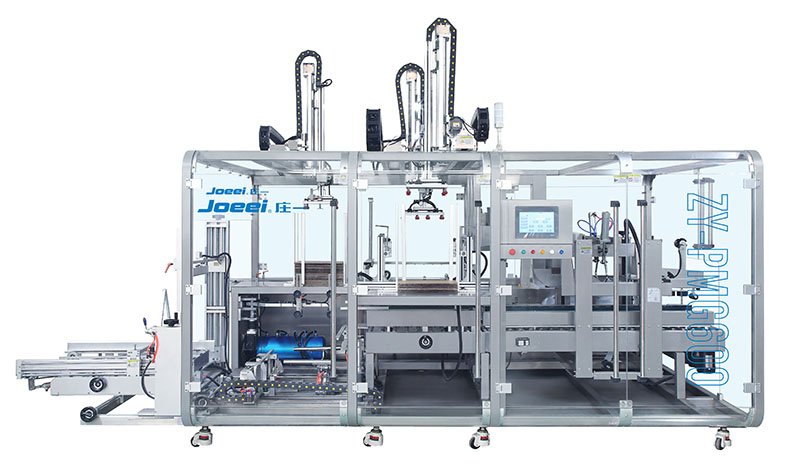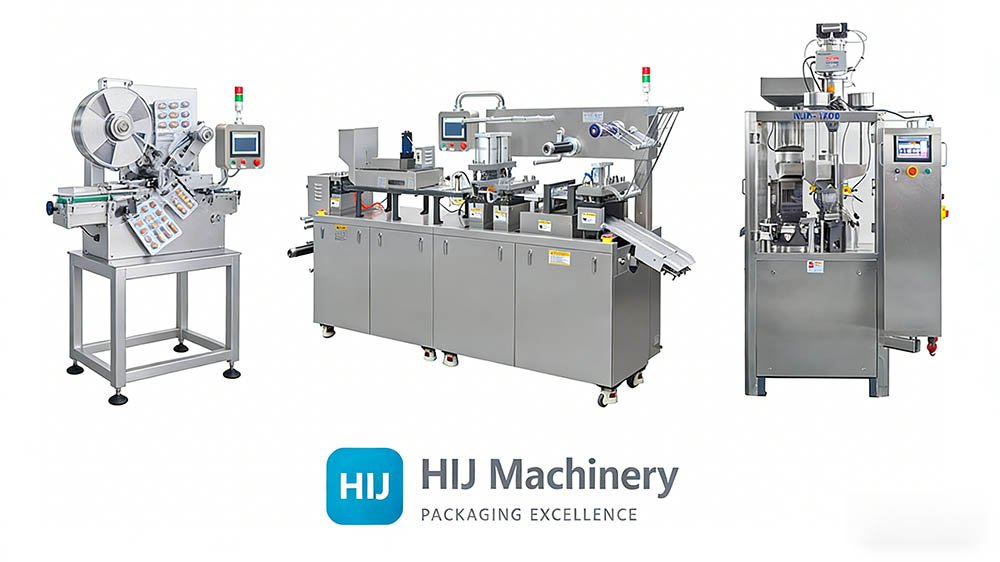
Choose a cartoning robot for the handling task it must complete: picking the product, building the group and placing it at the correct loading interface.
The robot’s motion specification is only one part of the decision. Your filled product, gripper, carton arrangement and recovery sequence determine whether the complete loading process can meet your production requirement.
Send a product photograph, the count and orientation in each carton, and a video of the incoming flow. Ask for the complete pick-and-place sequence to be demonstrated with your samples.
Explore the HIJ cartoning equipment range, then use this guide to prepare your project requirements.
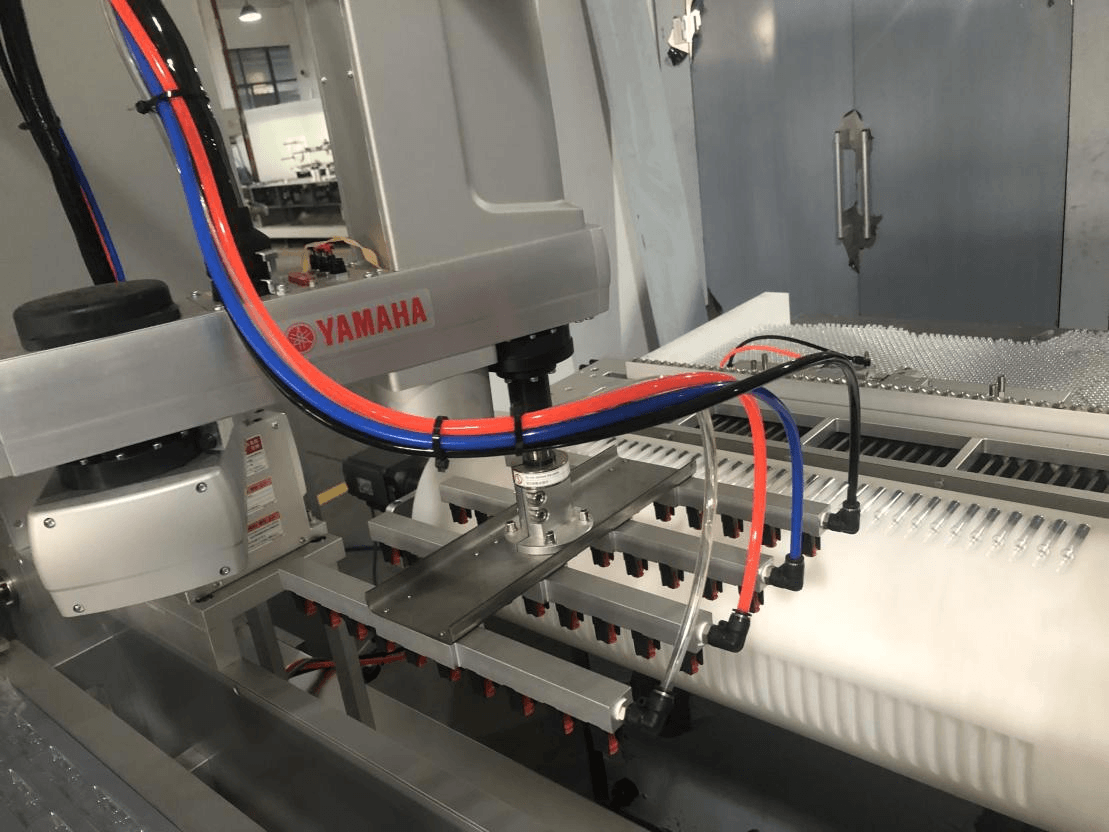
1. Specify what your cartoning robot will handle
“Robotic cartoning” can describe several different operations. A product-loading robot and a robot that replenishes carton blanks solve different problems. Put the task and the equipment boundary on the first page of your enquiry.
| Task | What moves | What to specify |
|---|---|---|
| Product preparation | Individual packs are picked, turned or grouped. | Arrival pattern, group arrangement and the receiving conveyor or pocket. |
| Product-to-carton loading | One product or a group enters an open retail carton. | Loading direction, carton opening, clearance and release sequence. |
| Carton-magazine replenishment | Stacks of flat carton blanks enter a magazine. | Stack supply, blank variation, replenishment and machine interface. |
| Downstream case packing | Finished retail cartons enter a shipping case. | Case pattern, product tracking and the separate case-packing scope. |
Industry examples illustrate these distinctions. Cama describes robotic units for grouping and top loading, and separately describes an automatic carton-blank loading system. Mpac’s HORIZON description addresses robotic product handling with application-specific end-of-arm tools. These are examples of different engineering approaches, not performance specifications for an HIJ project.
The supplied blister-cartoning technical document also separates robotic loading into blister trays from transfer of sealed blister packs to an online servo conveyor. For a blister cartoning project, identify exactly which transfer is being reviewed. A robot upstream of the cartoner does not automatically mean the final insertion into the carton is robotic.
2. Compare robotic loading with guided and manual loading
A robot is worth evaluating when the product needs a change of orientation, a layered group or repeated changes in the pack arrangement. It still needs products presented within a defined picking condition and an end-of-arm tool that can handle their normal variation.
A guided mechanical feeder can be a useful comparison when packs arrive in a consistent orientation and the same loading pattern repeats. Ask both proposals to handle the same production samples and run the same acceptance sequence. The purpose is to compare the complete cartoning solution, including product preparation and recovery.
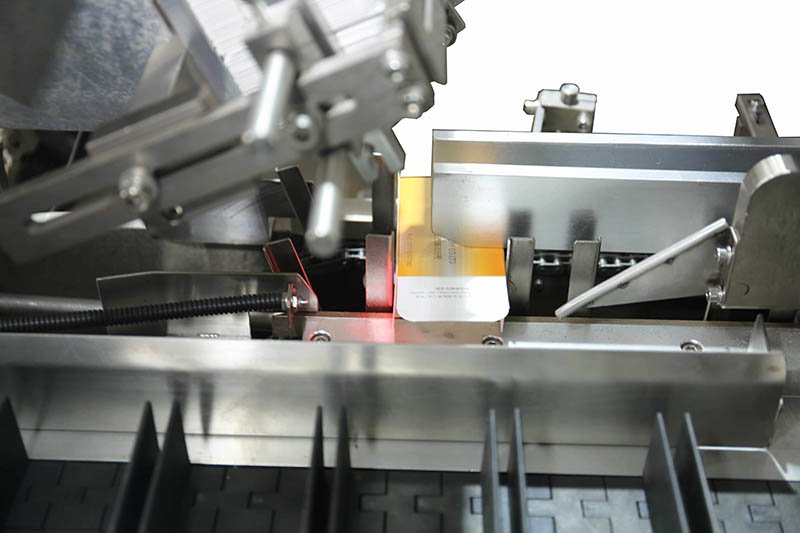
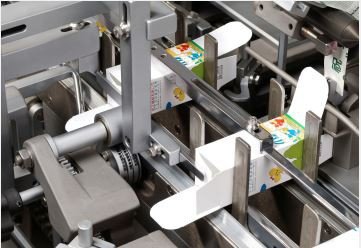
In automated cartoning, assess cartoner feeding from incoming presentation through final loading.
Review the grip, movement, release, format recipes and actual picking window.
Review product support, timing, guide clearance and the final insertion path.
Review the approved loading station, product presentation and repeatable operator workload.
Prepare a format list with the products you will run most often and the formats that are difficult to handle. Include promotional packs and small batches if they affect the purchasing decision. Define what needs a gripper change, what changes by recipe and what still requires a mechanical adjustment.
For the broader feeding choices, read the automatic cartoner infeed guide. For an operator-loaded alternative, see the manual loading cartoners guide. Use those comparisons before assuming that more automation will remove every upstream preparation task.
3. Test the gripper with your actual product
Send filled, production-representative samples rather than only an empty pack or a drawing. The gripper must handle the actual weight, surface, stiffness and projecting features through the full movement, including pickup and release.
- Contact area: identify where suction or gripping is permitted, including printed surfaces, lids, seals and fragile edges.
- Variation: include normal differences in thickness, fill distribution, surface friction and pack temperature.
- Group handling: specify how many items are taken together and whether each item must be detected independently.
- Release: observe whether packs remain aligned as the tool withdraws from the carton or receiving pocket.
- Format parts: list the tool, supports and setup verification required for every agreed format.
For flexible packs, show how the contents settle and how the seal fins move. For blister packs, identify the usable support and contact areas. For bottles or rigid containers, define the intended orientation and any features that limit gripping. Choose the handling concept after this product review, rather than assigning one tool to all formats.
Random or multi-lane arrivals may require tracking or vision, while a well-defined presentation can support a different control approach. Specify the variation that has to be accepted and ask for demonstrated handling across that range. A camera’s presence alone does not establish successful picking.
Include tool access, cleaning needs, utility demand and wear parts in the proposal. Ask who owns the tool drawings, format recipes and backups, and how a replacement tool will be verified before returning to production.
4. Convert carton output into complete pick demand
A quoted robot rate in picks per minute has to be translated into your pack pattern. The number of complete loading picks per carton depends on how many products enter the carton and how many the tool places at once.
If a carton contains four products and the tool places two per pick, it needs two loading picks. At 30 cartons/min, that is 60 complete picks/min. With two robots sharing identical tasks equally, each would need 30 picks/min, giving a two-second time budget per complete pick.
Cartoning robot pick-demand planner
Planning arithmetic for one product-loading stage. This assumes one pick places into one carton and identical tasks are shared evenly. A partially filled last pick must be supported and tested when the counts do not divide evenly.
Two picks are required per carton. The entered 1.2-second cycle fits inside the two-second pick budget. Validate the complete system and operational margin in a product trial.
The complete cycle should include pickup, required checks, transfer, release and return to the next usable picking condition. A short unloaded movement or a vendor’s ideal motion benchmark is a different measurement. Record the product, tool, path, incoming presentation and trial method alongside the cycle time.
This tool does not predict finished-carton throughput or choose the number of robots. Unequal station loads, waiting for groups, rejects, shared motion zones and carton availability can limit performance. Serial transfers through different robots must be evaluated as separate stages; adding their counts together does not create parallel capacity.
5. Specify the robot-to-cartoner handover
Define where the robot releases the product: inside an open carton, onto a conveyor, into a pocket or into a prepared group. Draw the receiving position and identify the condition that allows the next machine movement.
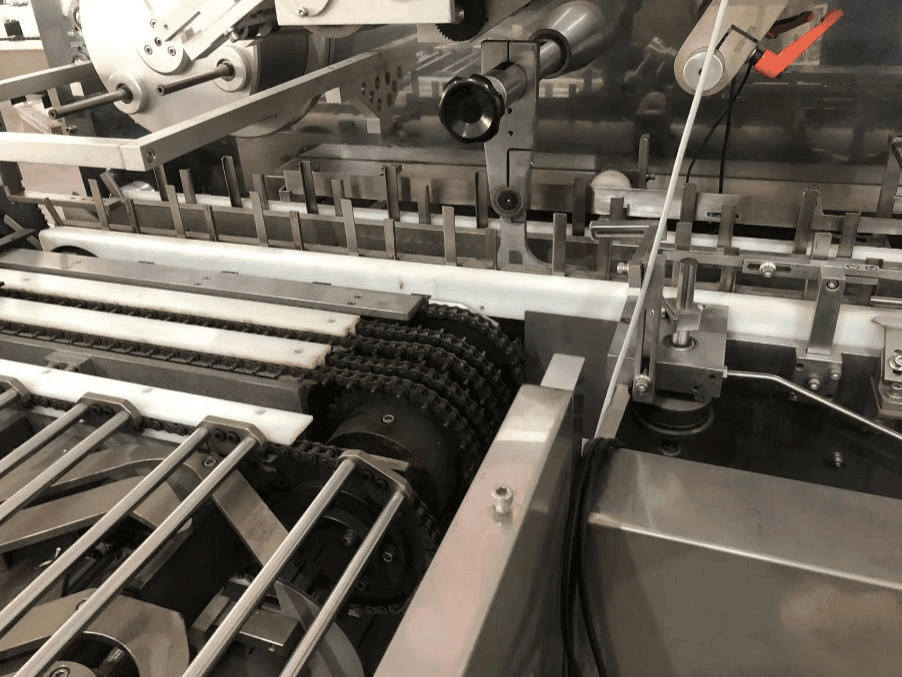
A horizontal cartoning platform may use a prepared product group and a separate insertion mechanism. A top-loading arrangement may release directly into an erected carton. Agree the actual sequence instead of treating these two transfers as interchangeable.
- Ready conditions: which signals confirm that product, tool and receiving position are available?
- Tracking: how is a product or group associated with the correct carton after a stop?
- Rejected picks: where does an incomplete or displaced group go, and how is its count recorded?
- Restart: what happens to work in progress if the robot or downstream cartoner stops?
- Responsibility: who supplies and tests conveyors, controls, utility connections and upstream/downstream interfaces?
Assess the approved guarding and recovery procedure as part of the integrated cell. A robot type or a “collaborative” label does not by itself establish that the complete tool and machine application can operate without additional protective measures. Request the supplier’s application-specific assessment and operating procedures.
For a wider line boundary, use the HIJ turnkey project page to prepare the equipment and interface scope.
6. Accept the loaded carton, not only the robot movement
Agree a sample trial before choosing the final configuration, then include the agreed checks in the purchased system’s acceptance plan. The trial needs representative products, production carton board, the intended group and any inserts.
- Normal production: demonstrate complete loading, closure and accepted output with the named format.
- Product variation: run the agreed range of dimensions, surfaces and pack condition.
- Count challenges: test missing, displaced or incorrectly grouped products and retain the results.
- Stops and restart: challenge product starvation, downstream blockage and recovery of work in progress.
- Format change: measure the whole change, including tools, recipes, guides and the first accepted carton.
- Records: retain the layout, tool revision, settings, stop reasons, rejects and inspection method.
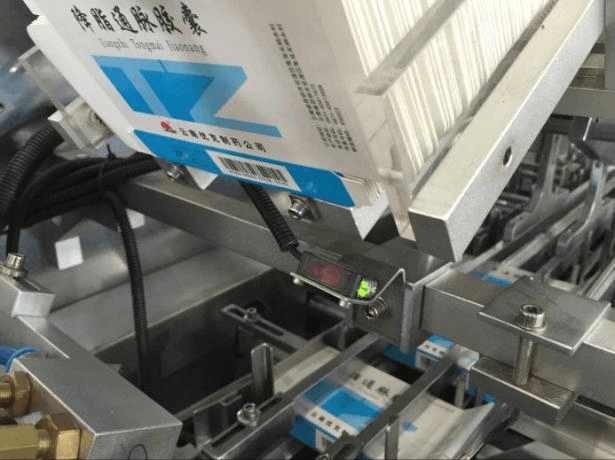
A presence sensor or code reader proves only the condition it is configured to detect. Specify how the system establishes the required product count, identity and finished-pack condition. Inspect the product after closure as well as after the robot releases it.
Use the cartoning machine FAT checklist for a broader acceptance plan, and the format changeover guide when comparing recipes and format parts.
Prepare the difficult format for review
Send your most difficult product, group pattern and carton drawing. HIJ can review the loading questions and the samples needed before recommending the project configuration.
7. Request an itemized loading proposal
Ask for a quotation that separates the robot and end-of-arm tool, product preparation, conveyor interfaces, carton handling, closure, inspection, format parts and installation. Include the trial evidence, training, documentation and after-sales scope in the same comparison.
Provide the same format list and output requirement to each supplier. Mark any unconfirmed inputs clearly. Request the configured line layout and the demonstrated performance boundary; a robot brand name or a headline speed is not the complete specification.
Prepare your cartoning robot project summary
Optional fields. Planner values enter the summary as planning assumptions. Review the text before bringing it into your enquiry.
Copying does not submit an enquiry. Use the enquiry button and review the popup form before sending.
Cartoning robot buyer questions
Does a cartoning robot replace the whole cartoner?
Usually the project contains separate product handling, carton forming, loading, closure and inspection functions. Specify which operation is robotic and which functions are supplied by the cartoner or other equipment.
Is robotic loading always better than a mechanical feeder?
Compare both with your product, pack arrangement, format changes and required output. A repeated, well-presented loading task may suit a guided feeder. A more complex orientation or grouping requirement can make robotic handling worth reviewing.
How do I convert picks per minute into cartons per minute?
First determine complete picks per carton. If a tool places two products into a four-product carton, it needs two picks. Divide the demonstrated loading picks per minute by that count, then assess the remaining line constraints.
Does every robotic cartoning system need vision?
The need depends on the agreed arrival variation, tracking and verification tasks. Show the actual product presentation and ask the supplier to demonstrate the proposed detection and handling method. Vision does not replace a suitable gripper or a controlled receiving position.
Can a robot be added to my existing cartoner?
That requires a review of access, receiving geometry, controls, timing, guarding and the equipment supplier’s approved integration scope. Provide the model, layout, interface documentation and a production video before requesting a retrofit proposal.
What determines the price of a cartoning robot project?
The configured handling task, tool, product preparation, interfaces, inspection, format range, trials and installation affect the quotation. Compare itemized project scope and demonstrated acceptance evidence rather than an unsupported universal price.
Technical references
The sources below illustrate industry approaches to product loading and carton-blank handling, and application-level robot risk assessment. The planning tool is arithmetic for your enquiry; supplier examples and sample inputs are not HIJ performance guarantees.