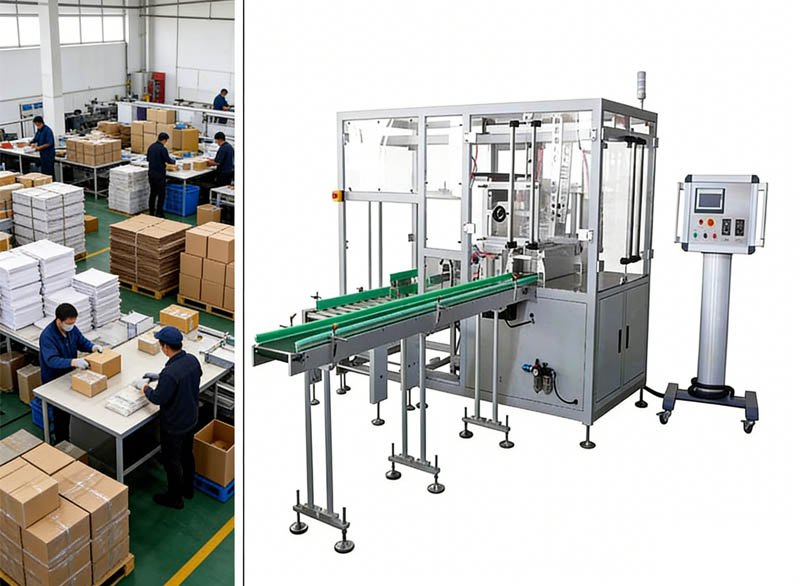
Quick answer: Most blister cartoning machine faults cluster in four zones — blister forming & feeding, leaflet & carton handling, insertion & closing, and coding & rejection — and the majority trace back to three root causes: out-of-spec materials (carton board, leaflet paper, film), worn wear parts (suction cups, belts, sealing gaskets) and drifted settings after changeovers. Below are the 12 most common faults with causes ranked by probability and the fix for each.
A well-built cartoning line rarely breaks; it complains. Jams, misfolds, false rejects and alarm stops are the machine telling you something upstream of the mechanics has changed — usually the materials or the settings. This reference covers the 12 complaints we hear most across installed PBL-400S-400SF blister cartoning machines and comparable lines, organised by machine zone so your operators can jump straight to the symptom.
Before diagnosing anything, make sure the team understands the normal cycle — the station-by-station walkthrough is in how a blister cartoning machine works. Half of “faults” reported to us are interlocks doing exactly their job.
Key Takeaways
- Diagnose in order: materials → settings → wear parts → mechanics. Mechanical failure is the least likely cause, not the first.
- Read the HMI first: modern lines name the station and cause for every interlock stop — start there, not at the machine.
- A change in fault rate after a material delivery means audit the material, not the machine (board weight, paper grain, film gauge).
- False rejects rising slowly = sensor cleaning and re-teach; rising suddenly = product or material variation.
- Log every fault with format, batch and material lot — patterns across lots solve chronic problems that single fixes never will.
Fault Index — Jump by Symptom
| # | Symptom | Zone | Most likely root cause |
|---|---|---|---|
| 1 | Malformed blister pockets | Forming | Heating temperature / film gauge |
| 2 | Glass breakage at infeed | Feeding | Guide misalignment, timing |
| 3 | Weak or leaking seals | Sealing | Temperature, pressure, dirty plate |
| 4 | Manipulator drops blisters | Transfer | Vacuum loss, worn cups |
| 5 | Leaflet double-pick / misses | Leaflet | Paper spec, humidity, suction |
| 6 | Leaflet misfolds | Leaflet | Fold roller gap vs paper weight |
| 7 | Cartons not opening | Carton feed | Board weight change, worn cups |
| 8 | Jams at insertion | Insertion | Pusher alignment, size mismatch |
| 9 | Flaps not closing | Closing | Tucker timing, score quality |
| 10 | Blurred / misplaced codes | Coding | Embossing pressure, carton position |
| 11 | False rejects rising | Detection | Sensor contamination / drift |
| 12 | Frequent alarm stops | Line-wide | Material quality cascade |
Blister Forming, Feeding & Sealing
Blister pockets malformed, shallow or wrinkled
- Preheating temperature drifted outside the ±5 °C window for the film in use
- Film gauge or supplier changed without re-optimising forming parameters
- Forming air pressure low, or mold cooling water outside 13–15 °C
- Worn or dirty forming mold cavities
Glass syringes breaking or jamming at the infeed
- Guide rails or stabilising guides shifted after a changeover
- Star-wheel discharger timing out of sync with the conveyor
- Upstream labeler delivering at inconsistent pitch, causing stacking
- Damaged chute surface creating an impact edge
Weak, incomplete or leaking blister seals
- Sealing temperature or booster-cylinder pressure below recipe
- Lidding foil lot variation (coating weight, tension)
- Residue build-up on the sealing plate pattern
- Web tension or registration drift putting seal area off the pocket flange
Transfer, Leaflet & Carton Feed
Tracking manipulator drops or misplaces blister cards
- Vacuum loss: worn suction cups, cracked lines, clogged filters
- Pick position drifted relative to the punching outfeed
- Cartoner chain speed changed without pitch re-synchronisation
- Blister card burrs from a dulling punch die catching on release
Leaflet double-picks, missed picks or feed stops
- Leaflet paper outside spec (weight below 60 g/m², grain direction, static)
- Storage humidity making sheets cling or curl
- Suction head wear or vacuum drop at the hopper
- Hopper stack pressure set too high or too low
Leaflets misfolded, skewed or crumpled
- Fold-roller gaps not adjusted for a new paper weight
- Fold plates/deflectors set for a different fold count than the recipe
- Worn fold rollers polishing instead of gripping
- Feed skew at the folder infeed
Cartons not opening, opening late or crushing
- Carton board weight or grain changed by the supplier (the classic silent change)
- Worn or hardened vacuum cups on the rotary opener
- Pre-break insufficient — blanks stored too long under magazine pressure
- Magazine side pressure or follower weight misadjusted
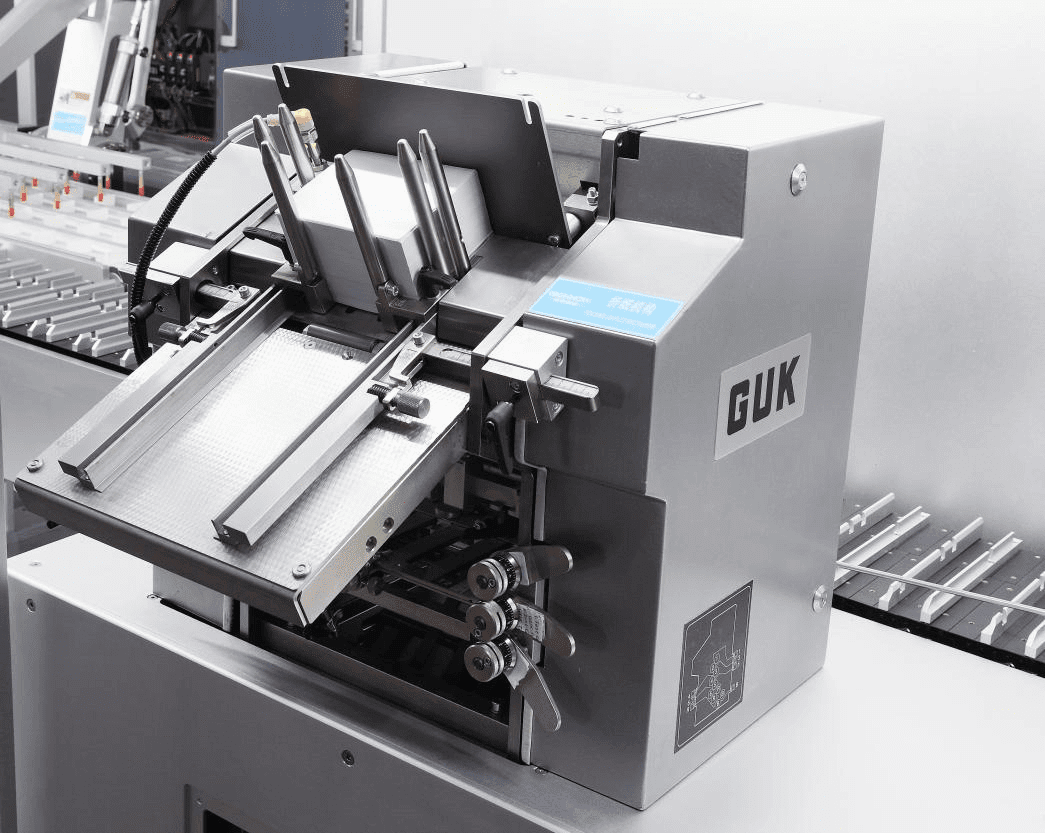
Insertion & Closing
Blisters jamming or edge-catching during insertion
- Pusher-to-bucket-to-carton alignment drifted after changeover
- Blister stack height at the upper tolerance of the carton’s inner dimension
- Leaflet not fully seated ahead of the blister (sequence fault)
- Bent guide fingers at the insertion funnel
Flaps not tucking, tucks popping open downstream
- Board score (crease) quality poor — flaps spring back
- Tucker finger timing or depth misadjusted
- Slit-lock dimensions mismatched to board thickness
- Overfilled cartons bulging the panels
Coding, Detection & Line-Wide
Batch codes blurred, shallow or out of position
- Embossing pressure or type height not reset for a new board weight
- Carton not fully squared/registered at the coding station
- Ink/laser parameters (where fitted) drifted or contaminated optics
- Worn steel type or coding wheel backlash
False reject rate creeping up
- Dust or film residue on photoelectric sensors and reflectors
- Sensor position nudged during cleaning or changeover
- Product/material appearance variation (foil gloss, print contrast) shifting detection margins
- Genuine defect-rate rise being read as “false” rejects — verify before assuming
Frequent alarm stops — “the machine keeps stopping”
- One marginal material (leaflets, cartons, film) tripping the 3-consecutive-miss rule repeatedly
- Multiple stations each slightly out of tune after a rushed changeover
- Low air pressure sagging under full-line demand (check under load, not at idle)
- An intermittent sensor connection generating phantom interlocks
Prevention Beats Diagnosis: The Maintenance Rhythm
| Interval | Tasks |
|---|---|
| Every shift | Clean sensor faces; empty and audit reject bins; visual check of suction cups; verify air pressure under load |
| Weekly | Inspect vacuum cups and lines; check guide-rail settings against format sheets; clean sealing plate; review alarm-history trends |
| Monthly | Replace suction cups proactively; check chain tension and pusher alignment; verify cooling water flow and temperature; test all reject challenges with seeded defects |
| Quarterly | Fold-roller and punch-die inspection; servo backlash check; full re-verification of one format against its recipe; calibrate critical instruments per your program |
The monthly seeded-defect challenge deserves emphasis: it is the same test your OQ ran, repeated as routine — the method is in our validation guide. A rejection system you never challenge is a rejection system you are trusting on faith. Machine-specific schedules for every HIJ model are on the cartoning machines hub documentation.

“When a customer calls with ‘the machine suddenly has problems,’ my first question is never about the machine. It is: what changed? New carton lot? New leaflet printer? A changeover last night? In my experience the large majority of remote-support tickets end at a material certificate or a changeover done from memory — the machine was simply the messenger.
Machines are consistent; materials and habits are not. The plants with the fewest stoppages are never the ones with the newest machines. They are the ones that treat cartons, leaflets and film as critical materials with real incoming inspection — and that run their changeovers from a checklist every single time, including the night shift.”
— Forester Xiang, Founder & Chief Engineer, HIJ MachineryFrequently Asked Questions
What is the most common problem with blister cartoning machines?
Material-driven faults dominate: carton board that changed weight or grain, leaflet paper outside the 60–75 g/m² window, and film lot variation. These present as opening failures, double-picks and forming defects — and are fixed at incoming inspection, not on the machine.
Why does my cartoning machine keep stopping with alarms?
Export the alarm history and sort by station. One dominant station points to a local cause (usually material or a drifted setting); an even spread points line-wide — air pressure sagging under load, a marginal material lot, or an incomplete changeover. The interlocks are reporting a problem, not being one.
How do I reduce false rejects?
First audit the reject bin — if rejects are genuinely defective, fix the upstream process. If they are good product, clean sensor faces, verify sensor positions against the format drawing, and re-teach thresholds with the current material lots. Track the rate per shift so drift becomes visible early.
How often should suction cups be replaced?
Proactively — monthly is a sound default under continuous production, adjusted to your observed wear. Cups are among the cheapest parts on the line and among the most common causes of transfer drops, carton-opening failures and leaflet misses.
Can troubleshooting be done remotely?
Largely yes on modern lines: the HMI’s alarm history, parameter screens and (where enabled) remote access let vendor engineers diagnose most electrical and settings issues in a single session. Mechanical wear and material audits remain on-site tasks for your team.
Chronic Fault You Can’t Crack?
Send us the symptom, the alarm history export and your material specs — Forester’s engineers will diagnose remotely and tell you whether it’s settings, wear or materials before anyone books a flight.
Get Remote Diagnosis Help